
Summary #
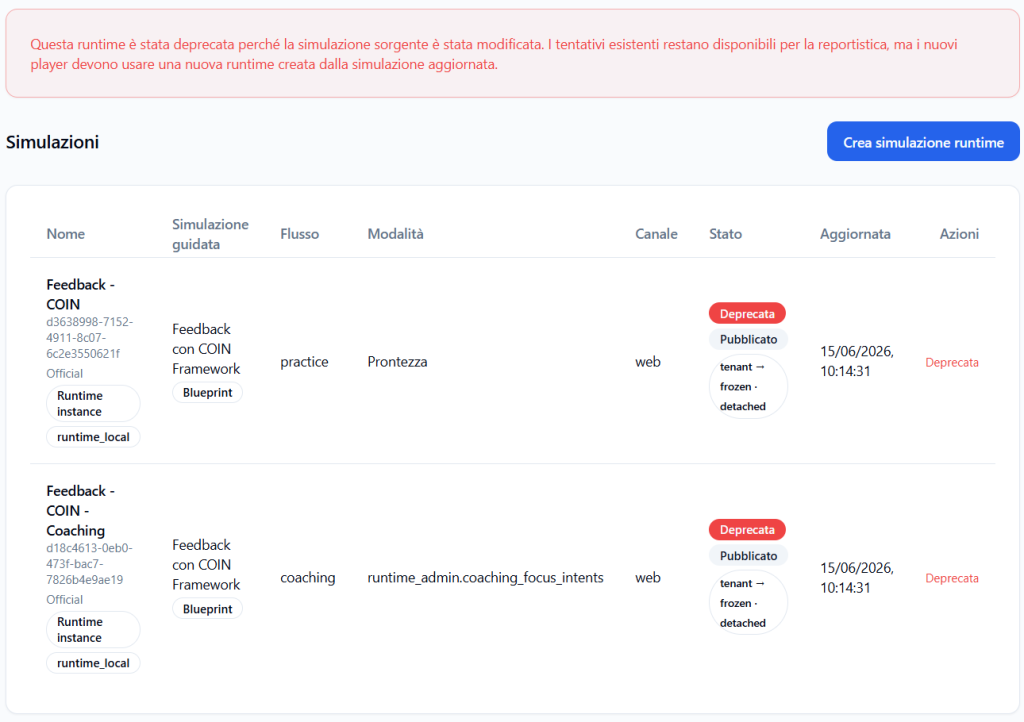
If you edit a Guided Simulation that already has one or more active runtimes, the runtimes linked to that version of the simulation are deprecated.
This means that the existing runtime is no longer considered the current operational access for that simulation.
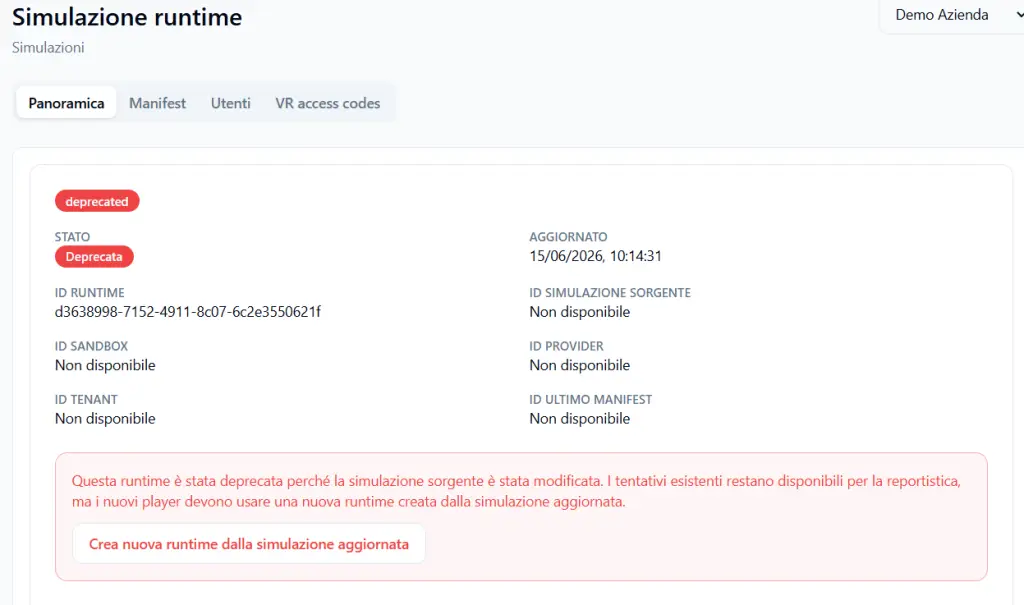
After editing, you can create a new runtime based on the new version of the simulation.
Why the runtime is deprecated #
A runtime represents operational access to a specific version of the simulation.
When a runtime is created, the system prepares a stable configuration that includes elements such as:
- scenario;
- briefing;
- Player objective;
- Avatar Persona;
- Observation Grid;
- language;
- voice;
- visual avatar;
- Web or VR channel;
- Practice or Coaching mode;
- authorized Players;
- access rules.
This configuration must remain consistent for all Players using that runtime.
If the simulation were edited while a runtime is already active, some Players might perform one version of the simulation and other Players a different version, while appearing to be within the same runtime access.
To avoid this inconsistency, the platform deprecates the previous runtime.
Why this choice is important #
Deprecation protects the comparability of results.
All Players assigned to the same runtime must engage with the same simulation, without changes in progress.
This is important because reports, metrics, detected skills, and Observation Grid phases must refer to a stable experience.
If a simulation changed while Players are using it, it would no longer be clear whether differences in results depend on:
- Player performance;
- the modified version of the simulation;
- a different Grid;
- an updated briefing;
- a changed Avatar Persona;
- objectives or instructions that are no longer identical.
Deprecation prevents this problem.
What happens operationally #
When you edit a Guided Simulation already linked to an active runtime:
- the simulation is updated;
- the existing runtime is marked as deprecated;
- the previous runtime no longer represents the current version of the simulation;
- you can create a new runtime from the updated simulation;
- new Players must be assigned to the new runtime.
What happens to Players #
Players must access a consistent and stable runtime.
If the previous runtime is deprecated, the Tenant Admin can create a new updated runtime and assign it to the desired Players.
This way, all Players assigned to the new runtime will perform the same updated version of the simulation.
What happens to already generated reports #
Reports already generated on the previous runtime remain linked to the version with which they were produced.
They are not automatically reinterpreted based on the new simulation.
This is correct, because those reports describe what happened in the previous version of the runtime.
The new runtime will instead produce reports consistent with the updated simulation.
Practical example #
You created and published a simulation called:
COIN Feedback
Then you created an active runtime for 3 Players.
After a few attempts, you decide to edit the simulation, for example by changing:
- briefing;
- Player objective;
- Observation Grid;
- Avatar Persona;
- useful information;
- common mistakes;
- agent-only context.
At this point, the already active runtime is deprecated.
To continue using the updated simulation, you create a new runtime and assign to that new runtime the Players who will need to perform the updated experience.
What the Tenant Admin must do #
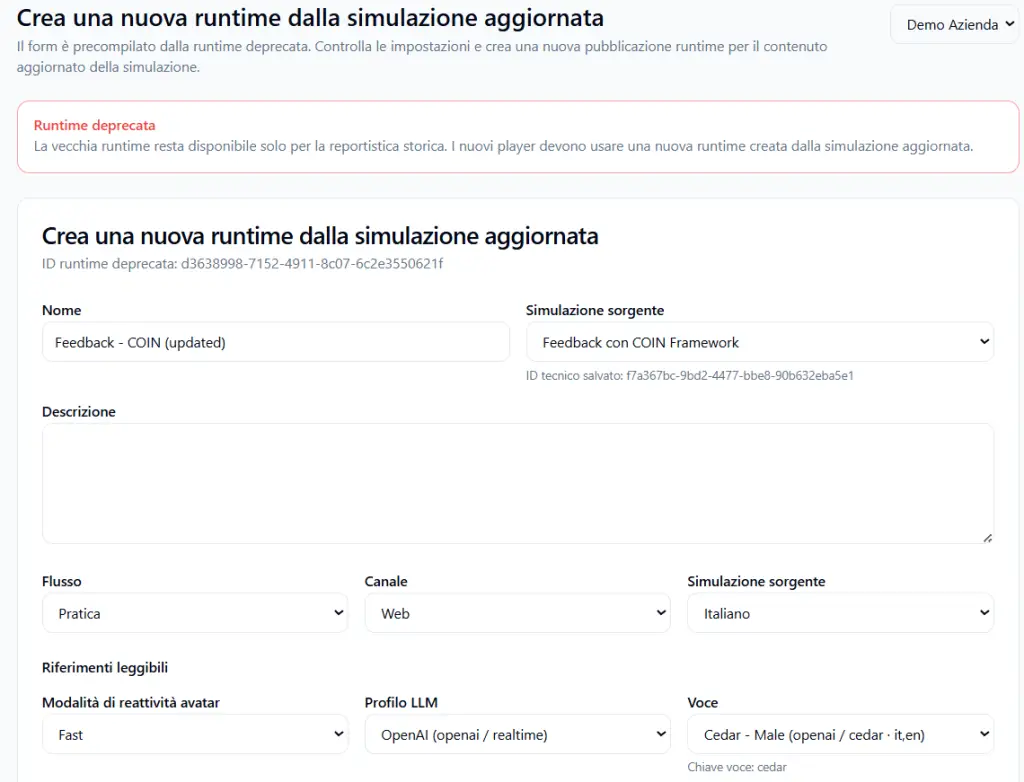
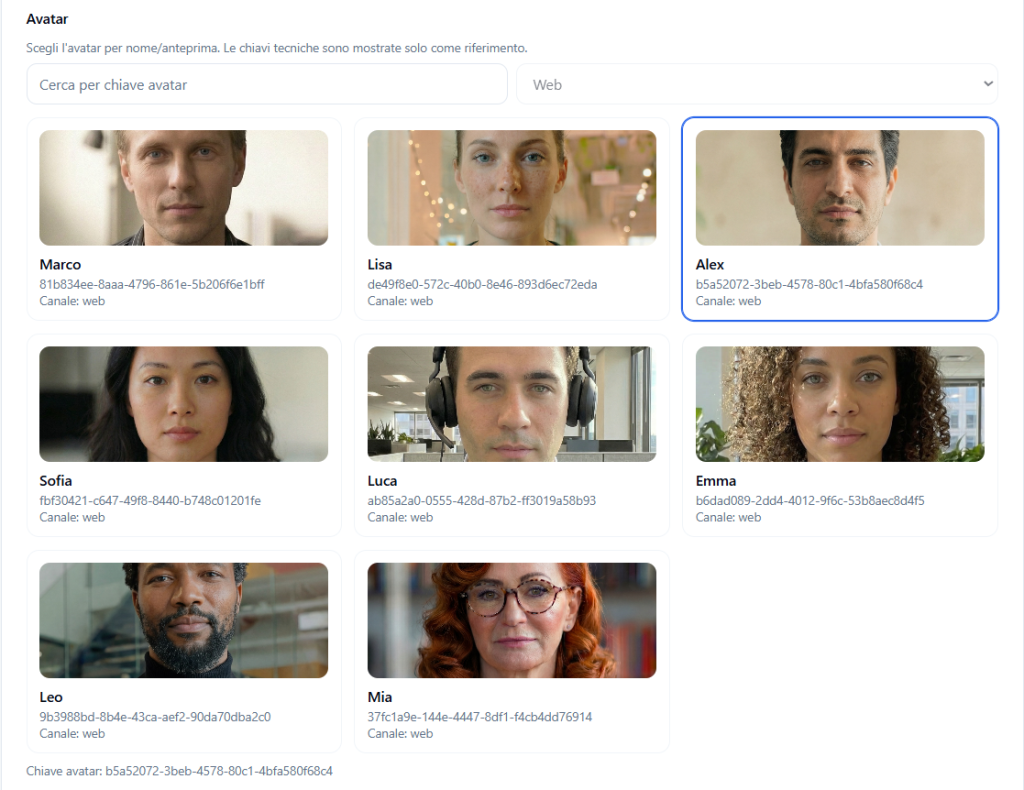
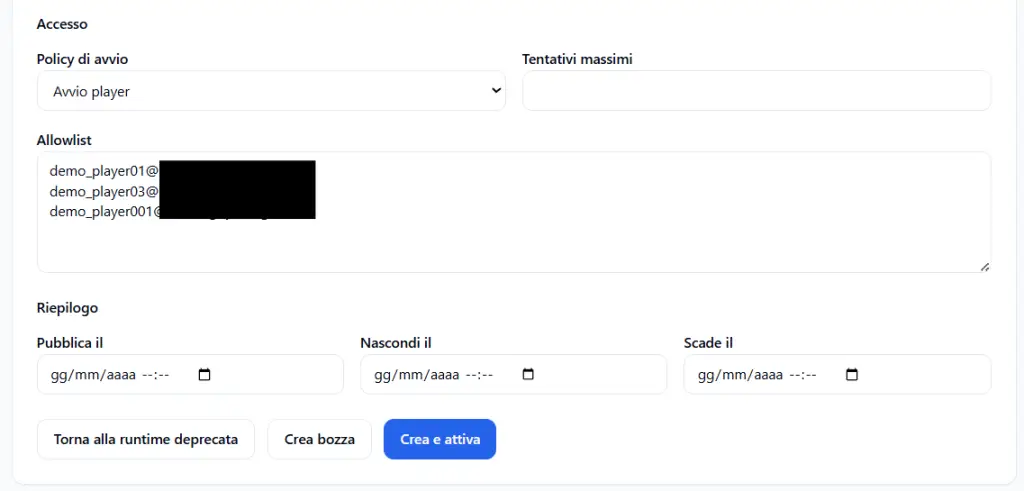
After editing a simulation already linked to an active runtime, the Tenant Admin must:
- verify that the updated simulation is correct;
- publish or confirm the new version of the simulation, if required by the workflow;
- create a new runtime;
- configure access mode, language, avatar, voice, channel, and authorized Players;
- communicate to Players which new simulation/runtime they should use.
Why not edit the existing runtime directly #
The existing runtime represents an access already configured and potentially already used by Players.
Editing it directly while it is active could generate confusion and non-comparable data.
For this reason, the platform keeps separate:
- the previous version of the runtime;
- the updated simulation;
- the new runtime created from the updated version.
This approach protects data quality and the consistency of the training experience.
Final result #
If you edit a simulation that already has an active runtime, the previous runtime is deprecated.
You can then create a new runtime based on the updated simulation.
This logic ensures that all Players assigned to the same runtime experience the same simulation, with the same scenario, the same Observation Grid, and the same training configuration.
The goal is to avoid changes in progress and maintain consistent reports, comparisons, and results.


